
Appearance
What is Flexi Issue Link?
Welcome to Flexi Issue Link, a powerful add-on for Jira Cloud designed to enhance your productivity by streamlining the process of copying vital information.
Flexi Issue Link improves your Jira experiences by providing buttons that let you copy issue link with the issue key and summary text in just a single click.
Its extensive support for customization lets you tailor the copied link text by incorporating data from issue-specific fields, making it easier than ever to share essential data and collaborate effectively with your team.
Key Features
- Dynamic Content: Leverage Jira issue field placeholders to dynamically pull valuable information from the current issue context.
- Customizable Buttons: Each user can configure their own buttons tailored to their specific needs and preferences.
- Easy Clipboard Access: Copy links or plain text with a single click, saving time and reducing the risk of errors.
Basic Usage
Navigate to Jira issue page
Expand on Flexi Issue Link in right pane issue context view
Click on the link buttons to copy issue link with dynamic issue-specific text content to your clipboard
Paste the copied link to Outlook, Teams, or Slack for streamlined issue sharing and collaboration!! 🚀
Demonstration
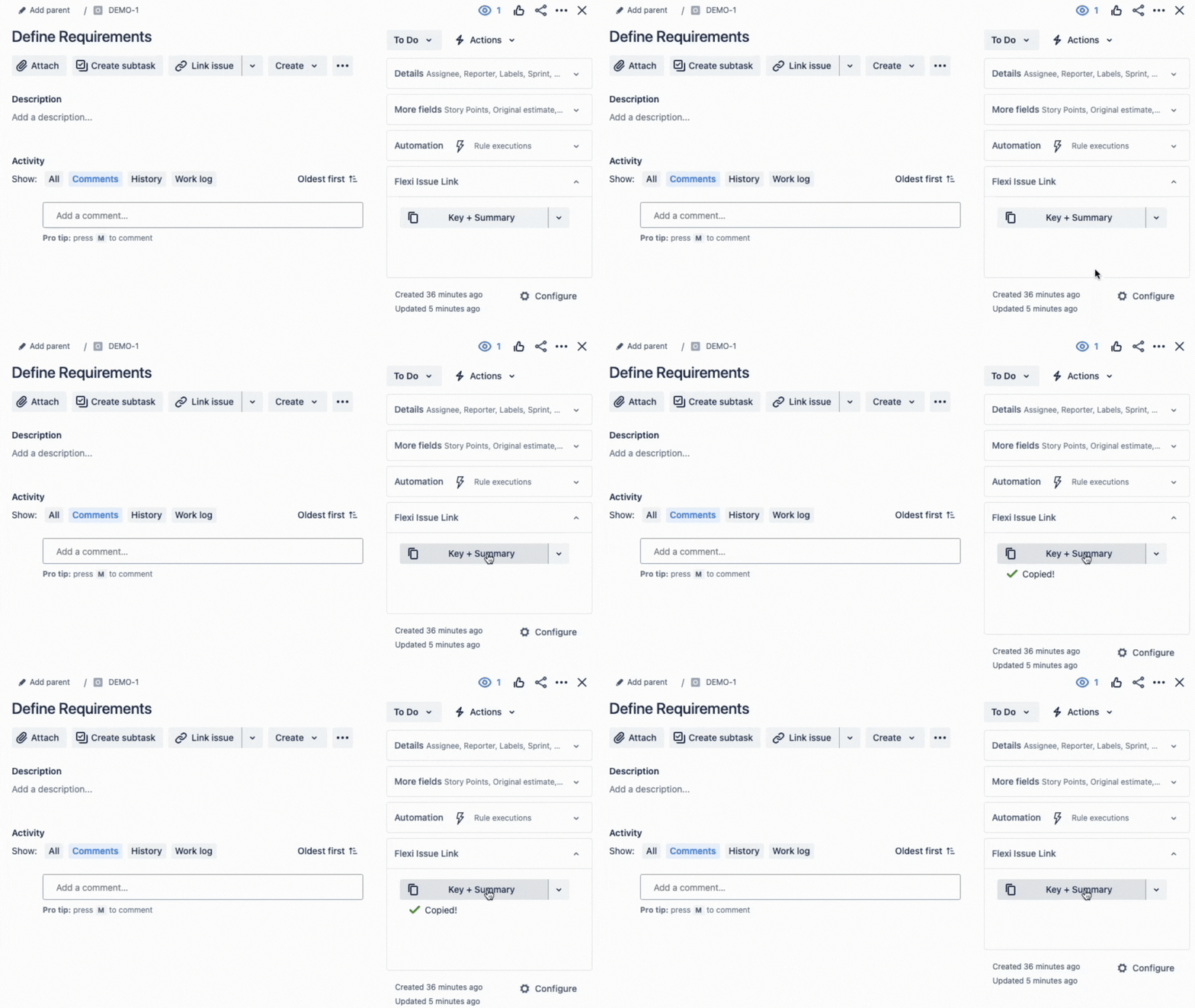
Results:
is copied to the user's clipboard, ready to be used in collaboration tools